March 23rd, 2025

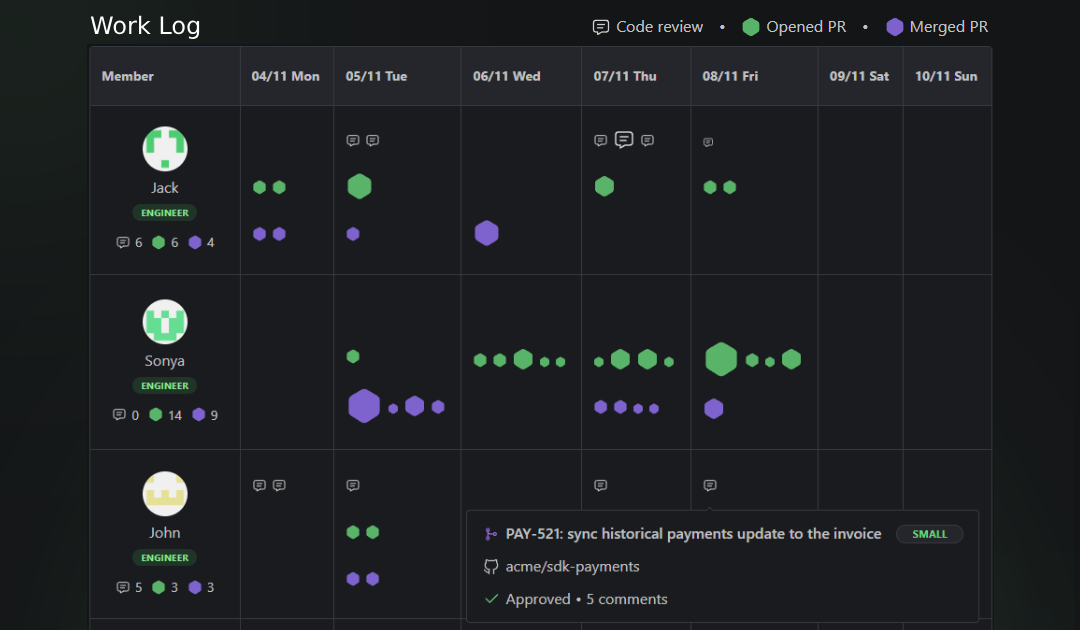
We’ve added a new Work Log view to help you keep track of your team’s ongoing work and provide better visibility into everyone’s contributions. This view offers a real-time snapshot of activity across the entire team, making it useful for both managers and developers.
The Work Log displays each contributor’s activity, organized by day, with activities grouped into three categories:
Opened PRs (green hexagons)
Merged PRs (purple hexagons)
Code reviews (speech bubble icons)
The size of each icon varies based on the PR size, giving a clear indication of the effort involved. Hovering over an icon provides more details about the PR, including:
Status
PR title
Repository name
Number of comments
Size
For leaders:
Improve workload distribution: Gain context to better balance workloads if someone is regularly overloaded.
Detect when someone might be struggling: Spot low activity from a developer over several days, which could indicate they’re stuck or facing challenges, allowing you to proactively offer support.
Prepare for 1:1s & retrospectives: Gather concrete, data-backed insights to support feedback, career growth discussions, and workload adjustments.
Recognize effort, not just volume: Make sure big contributions are acknowledged, not just the number of PRs.
For individual contributors:
Make your work visible: Use the Work Log as a “brag document” to highlight significant contributions during 1:1s or performance reviews.
Support promotion cases: Provide concrete evidence of high-impact work and consistency over time.
Document growth: Track your progress over time and identify areas where you've improved or taken on more complex tasks.
The Work Log is not intended to measure individual productivity. It only reflects activity related to PRs and code reviews. It doesn’t account for essential work outside of code contributions, like planning, meetings, research, or documentation.
Use it as a tool to improve collaboration, provide feedback, and recognize effort — not as a strict performance metric.
March 23rd, 2025

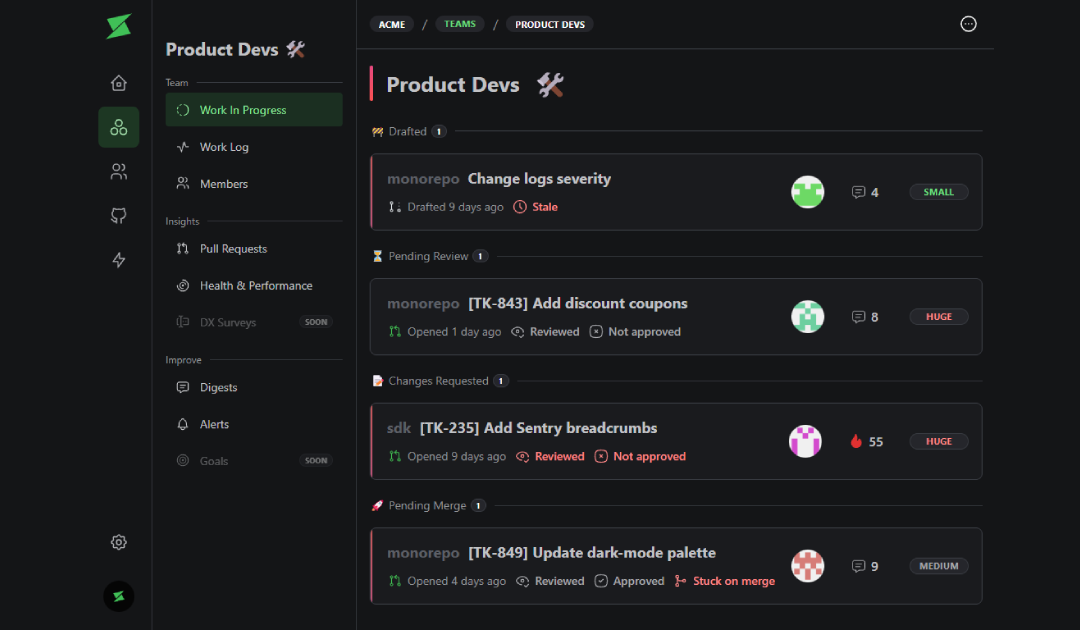
We’ve added a new Work In Progress view to make it easier to keep track of your team’s open PRs. This screen shows all PRs grouped by status: Draft, Pending Review, Changes Requested, and Pending Merge.
It’s the same information you can get from the scheduled Slack digests, but now accessible anytime for a real-time overview. Great for keeping an eye on progress without waiting for the next digest.
March 3rd, 2025

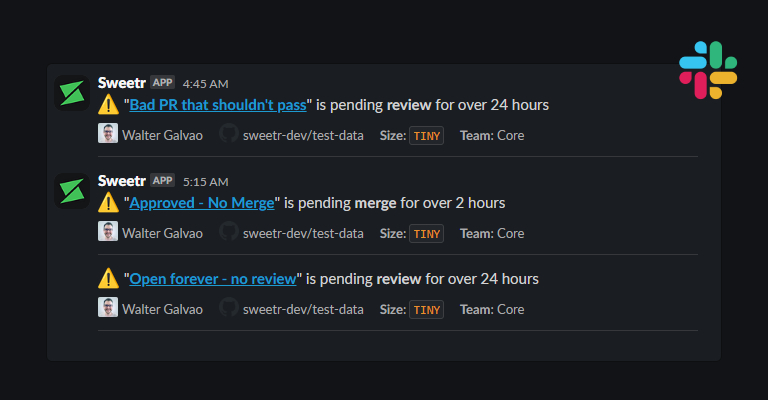
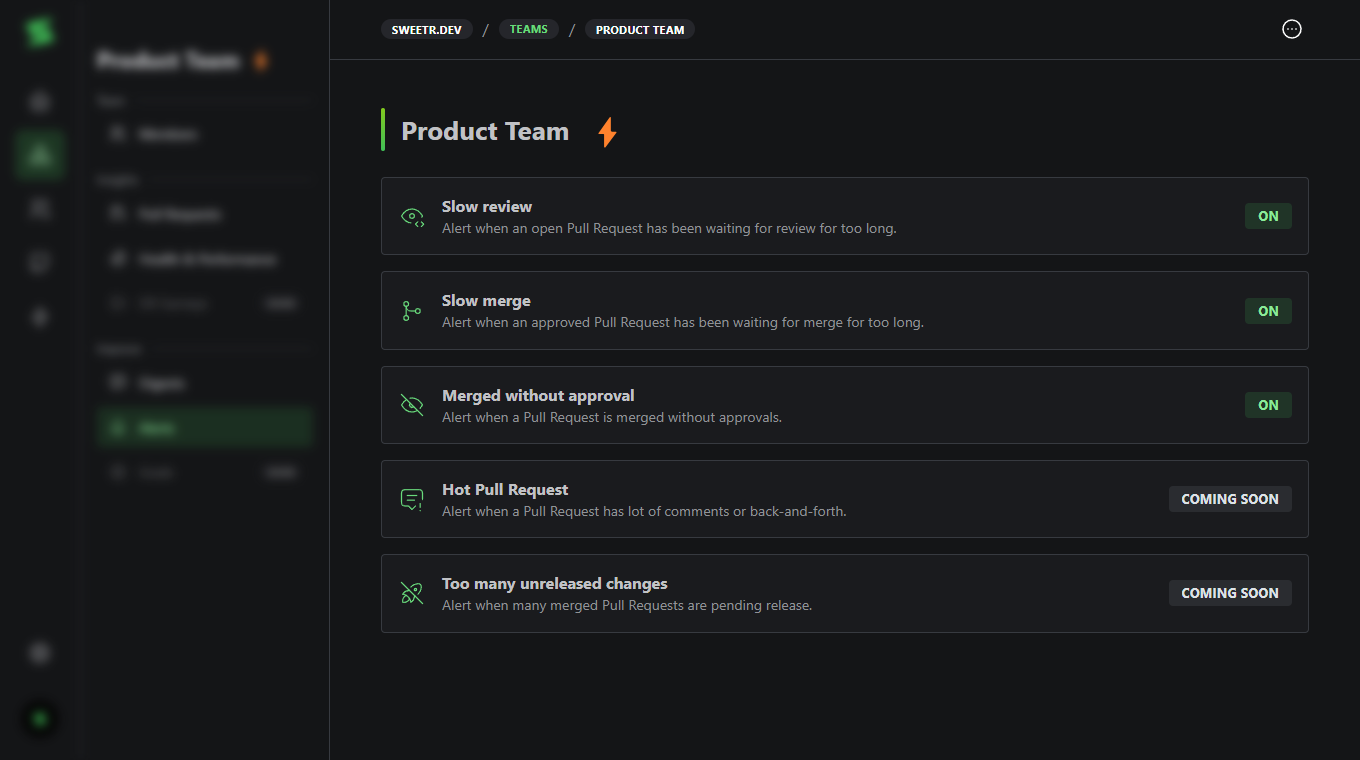
Staying on top of pull requests just got easier. Alerts help teams reduce cycle times, avoid bottlenecks, and maintain code quality by notifying you of key events in your PR workflow. With Slack integration, you’ll get real-time updates when action is needed.

Available alerts:
Slow Review Alerts – Get notified when a pull request hasn’t been reviewed within a set timeframe.
Slow Merge Alerts – Stay informed if an approved pull request hasn’t been merged within your defined period.
Merged Without Approval Alerts – Get an alert when a pull request is merged without the required approvals.
Configure alerts to post in specific Slack channels based on your team’s needs. To enable them, connect Slack and head to the team alerts page, or read the docs to learn more.
Stay tuned, as we plan to add more alert types soon.
February 13th, 2025


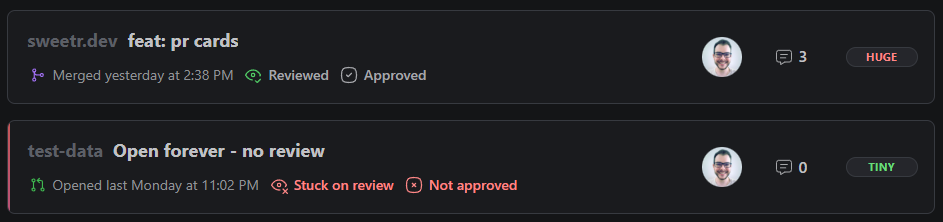
The Pull Request cards have been redesigned to better display when an Pull Request needs attention.
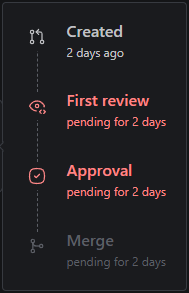
You can also hover the cards to get an overview of it’s lifecycle.

Replaced tabs in person page with side navigation
Digests not being sent for certain timezones
Digests sometimes not finding the Slack channel
Digests failing to be sent to private channels
Personal metrics wrong calculation when user belong to multiple workspaces
December 6th, 2024
New

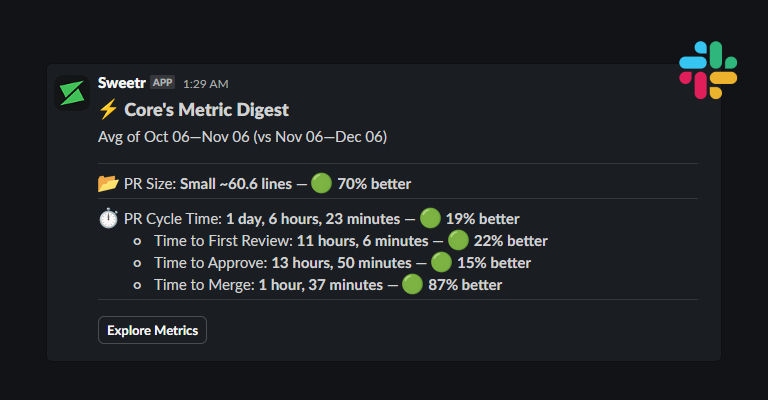
You can now set up a weekly or monthly digest of the team’s Pull Request metrics. The digest contains metrics on the team’s average Pull Request size, and average Pull Request cycle time (broken down).
💡 This should help teams keep an eye on their delivery and understand how they are improving over time, without leaving Slack.
🔜 Metrics that we’ll start tracking soon, like deployments and failure rates, will be included in the Metrics Digest.

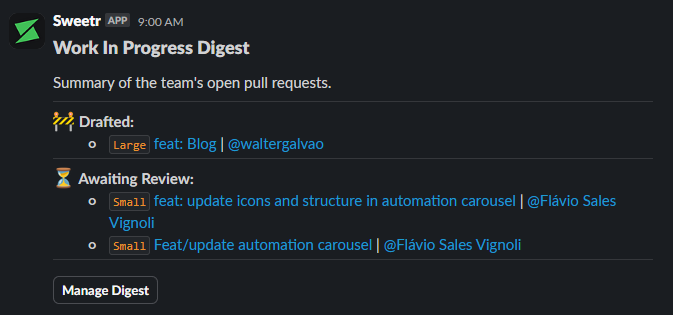
We have also shipped the Work in Progress Digest a couple of weeks ago.
This digest contains a summary of all Pull Requests in progress, broken down into “Drafted”, “Awaiting Review“ and “Awaiting Merge“.
💡 This should help keep teams in the loop and bring attention to Pull Requests that are stale or need action.
🔜 Coming soon: The tagged reviewers of the Pull Request will also be tagged in the message.
➡️ Head to your team page to set up digests.
December 1st, 2024
Improved

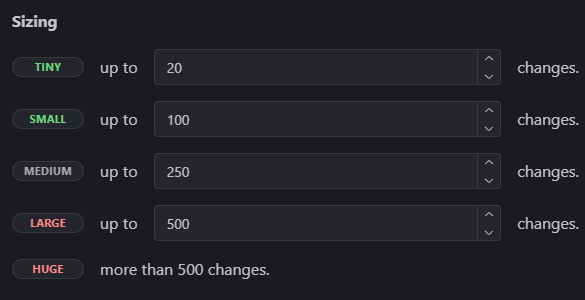
We’ve improved Pull Request sizing:
You can now customize thresholds.
You can now specify Glob Patterns to ignore files.
We’ve also added a default list of files to be ignored when calculating size. They are mostly dependency lock files, so it’s up to you to add other auto-generated files that doesn’t make sense to be considered.
Head to Pull Request Settings to check it out.